
We’ve all been there. You’re in the middle of a key video call or on the edge of your seat during a movie finale, and bam. The connection drops.
Annoying, right? Network connectivity issues can turn a smooth digital experience into a nightmare. But you’re not alone in this battle. I’m here to guide you through it.
I’ve spent years untangling tech problems and can tell you, this isn’t rocket science. You just need the right steps.
In this article, you’ll find a clear, step-by-step guide to fixing those pesky connection problems. You’ll move from frustration to having a more stable and reliable internet experience. Stick around, and let’s turn confusion into control.
Ready for a smoother connection? !
Pinpointing Your Connection Symptoms
Before you can fix your network connectivity issues, you have to know what’s wrong. Sounds obvious, right? But too many people rush to solutions without understanding the problem.
Does your internet feel sluggish or does it just vanish into thin air now and then? Different symptoms mean different issues.
Slow Speeds: Web pages take forever to load, and downloads crawl. This might mean Wi-Fi interference, or maybe your provider is slacking (it happens).
Constant Buffering: Videos pause way too often. Streaming becomes a stop-start nightmare. It could be your bandwidth isn’t cutting it. Or, it’s time to look at your service plan.
Intermittent Drops: Your connection’s a Houdini. Poof, it’s gone, and then it’s back. This might suggest a router issue or an overloaded network. It’s like finding money in old jeans (exciting but unreliable).
High Latency (Lag): Ever notice a delay in online games or video calls? It’s a potential sign of network congestion or server issues. No one wants to sound or move like a robot in conversations or games.
No Connection at All: You can’t get online. Not on laptops, phones, nothing. Complete outage suggests something’s wrong on the provider’s end, or your router may have just given up.
Understanding these symptoms lets you tackle the cause. Knowledge is power, right? Now, let’s get into some real solutions.
Check out our How To Handle Common Printer Errors guide while you wait for your network to sort itself out. After all, printers have their own set of quirks.
The Network Detective: Simplifying Root Cause Discovery
Addressing network connectivity issues can feel like solving a mystery, but it doesn’t have to be. You and I both know how frustrating this can get, so let’s get straight to the point: start with the basics. First, check your device.
Is the problem on one computer or all devices? If it’s just one, you’ve likely found your culprit. If it’s all devices, the issue might be with the network itself.
Now, the classic reboot. Why do we always hear about rebooting the modem and router? It’s simple: rebooting clears temporary glitches and memory issues.
Just unplug both, wait a minute (yes, a full minute), then plug them back in. This often resolves the problem.
Next, run a speed test. This isn’t just for techies. Just search for “internet speed test.” Run it.
Look at download, upload, and ping. Are they what you pay for? If not, the issue might be with your provider.
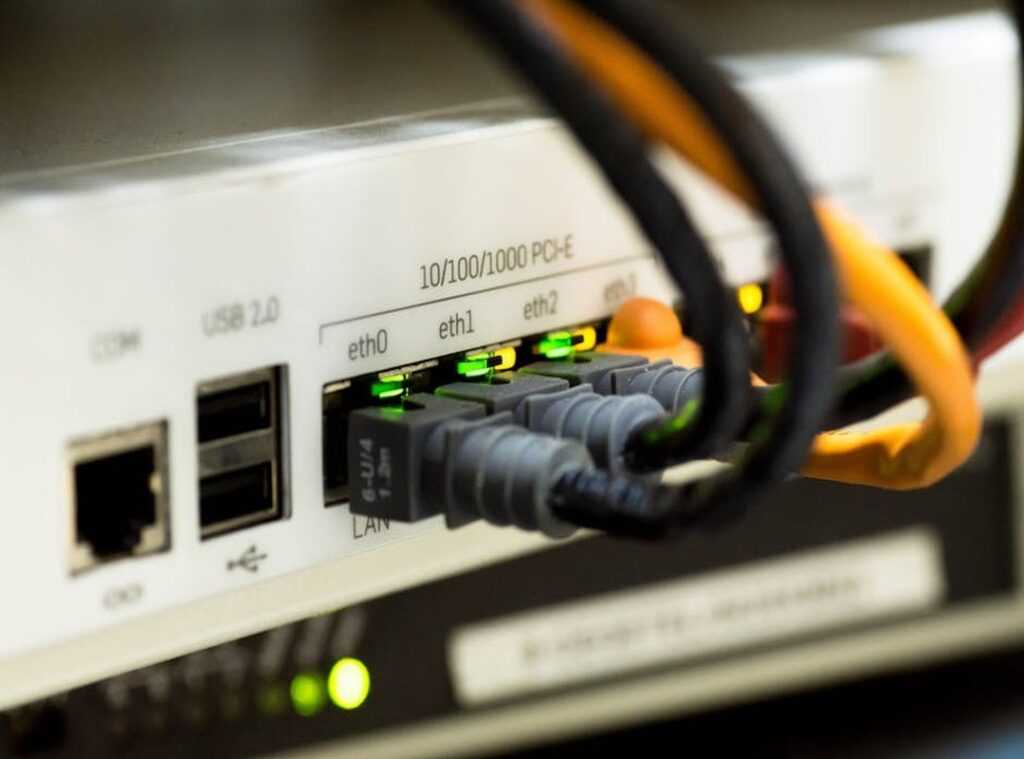
Check the source. The router’s status lights should be green. If they’re blinking orange or red, that’s a red flag.
Look up your model’s light guide if needed. Many overlook this step, but it’s key for spotting issues early.
Finally, is it just you? Check for local ISP outages with a site like Downdetector. Use your phone’s cellular data (pro tip: don’t rely on Wi-Fi if it’s down).
And if after all this, you’re still pulling your hair out, you might need to fix hp computer or laptop networking problems. This link provides more detailed troubleshooting steps.
Remember, tackling connectivity issues doesn’t have to be a chore. Solve it step by step, and the internet will be back at your fingertips.
Your Toolkit for a Stable Connection: Practical Fixes You Can Do
Network connectivity issues driving you nuts? Let’s tackle them head-on. Your router’s position is the first thing to check.
Imagine it like a lightbulb. The closer it is to the center, the better it spreads. So, pop it up high, away from walls and metallic objects.
Oh, and microwaves? They’re like kryptonite to Wi-Fi signals.
Next up, cables. They can be sneaky little devils. Check those Ethernet and coaxial cables.
Are they snug? Any visible damage? A small nick can cause big headaches.
In crowded buildings, Wi-Fi channels can get jammed. Changing the channel in your router settings might just clear the airwaves. And if possible, use the 5GHz band instead of 2.4GHz.
Less interference, more speed. That’s the dream, right?
Now, let’s get into software tweaks. Keeping your network adapter drivers updated is clutch. Outdated drivers are like trying to run a marathon in flip-flops.
Not ideal. So, make sure they’re current.
Browser cache can slow down your browsing. Clearing it out is like giving your internet a breath of fresh air. It’s not glamorous, but it works.
Ever heard of DNS? It’s the internet’s phonebook. Switching to a public DNS like Google’s (8.8.8.8) or Cloudflare’s (1.1.1.1) might boost your speed.
It’s a simple change with potential benefits.
Sometimes, network issues aren’t limited to computers. When it comes to fixing common smartphone issues, similar principles apply. Check your settings, make sure your apps are updated, and keep an eye on your connectivity.
In the end, these tweaks can make a massive difference. Small changes, big results. That’s what we want.
So, why not give it a try? A little effort can lead to a much smoother internet experience. You deserve it.
When to Call for Help: Future-Proofing Your Network
So you’ve tried everything to fix those pesky network connectivity issues, but nothing’s working. Frustrating, right? Maybe it’s time to call your Internet Service Provider.
But don’t just dial without a plan. Have your speed test results ready. Document what you’ve already attempted.
Why? It makes the call smoother and more productive.
Ever thought about future-proofing your setup? We’re living in a world of 4K streams, smart devices, and remote work. Your old router might not cut it.
Consider modern gear. Mesh Wi-Fi systems can eliminate dead zones, especially in larger homes. No more wandering around the house for a decent signal.
And let’s talk about Wi-Fi 6 or even Wi-Fi 6E. They’re designed for efficiency and speed, handling multiple devices with ease. Imagine streaming a movie while your partner’s on a video call and the kids are gaming.
All without a hiccup.
Ask yourself: is your network ready for today’s demands? If not, you might be setting yourself up for more headaches. Investing in the right equipment is like buying peace of mind.
It’s a small price for a smooth digital life.
Reclaim Your Connection
Facing network connectivity issues is frustrating, but guess what? It’s not forever. You’ve got a plan now.
By pinpointing symptoms, figuring out causes, and applying the right fixes, the power’s in your hands. You’ve got the playbook to tackle these annoyances head-on.
So don’t sit around waiting for that buffer wheel to spin. Take charge. Use this guide to build a faster, more reliable network.
It’s time to take back control of your digital life. Need proof? Countless people have done it with these steps.
Ready to join them? Dive in and start transforming your connection today.